Adhoc workflows allow you to complete checks whenever they are needed, without a set schedule. These are ideal for tasks such as incident reports, maintenance issues, customer complaints, or any workflow that needs to be triggered manually and cannot be planned for.
Follow the steps below to start and complete an adhoc workflow from the Telsen mobile app.
1. Open the Workflows Tab
Log in to the Telsen mobile app.
Tap Workflows in the bottom navigation bar.
This page shows all your scheduled workflows due today.
2. Start an Adhoc Workflow
In the top-right corner, tap the “+” button.
You’ll see a list of all adhoc workflows available to you.
This list is created and managed by your Company Admin on desktop.
Select the adhoc workflow you want to complete.
Once selected, the workflow will be added to your “Today’s Workflows” list.
3. Complete the Workflow
Tap the workflow to open it.
Complete each section and question as normal.
If you need more time, tap Save Draft to return later.
Because adhoc workflows are not scheduled:
They do not have a due date
They do not expire
They will not be marked late or overdue
You can complete them whenever required.
4. Submit Your Workflow
Once all required questions are completed:
Tap Submit Workflow.
Your responses will be saved and appear in reporting like any other workflow.
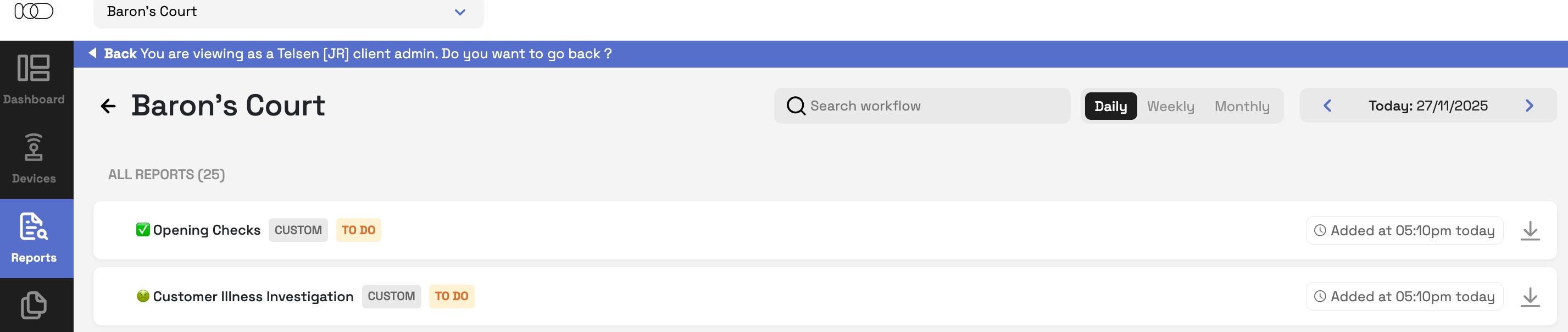
5. Review the report
The workflow will appear on the 'Site Report' for that day.
Summary
Ad-hoc workflows give teams flexibility to record important checks whenever they’re needed. Simply tap “+” in the Workflows tab, select the workflow, complete the questions, and submit when ready.
Was this article helpful?
That’s Great!
Thank you for your feedback
Sorry! We couldn't be helpful
Thank you for your feedback
Feedback sent
We appreciate your effort and will try to fix the article