This guide walks you through how to create, structure and schedule custom workflows in Teslen - including tips for setup, scheduling options and assignment.
Navigate to the Workflow Builder
Go to Workflows in the left hand nav bar.
Select Manage Workflows.
Click Create Workflow.
Choose Custom Workflow - this allows you to fully tailor the workflow to your needs.
Build Your Workflow Content
Workflow Name: Add a clear title for your workflow.
Description (optional): Provide context or guidance if needed.
Enter Section Name
Under each Section, start building your content by selecting the appropriate Answer Type from the right-hand panel:
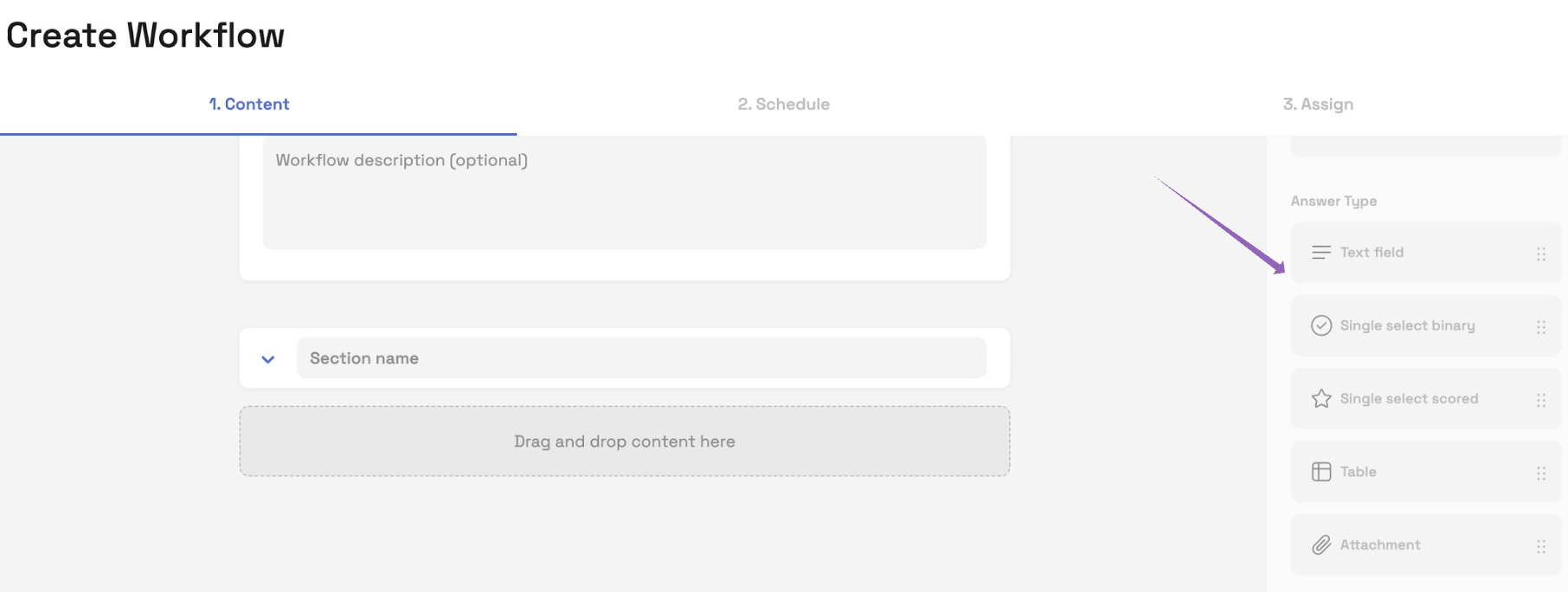
| Answer Type | Purpose |
|---|---|
| Text Field | Ability to provide a free text response - helps with customisation |
| Single Select (Binary) | Ideal for Yes/No/N/A responses. Great for compliance checks. |
| Single Select (Scored) | Useful for audits where answers contribute to a score (e.g. cleanliness level). |
| Table | Build structured tables for checklist-style tasks. |
| Attachment | Allow users to upload an image or file as part of their response. |
Schedule the Workflow
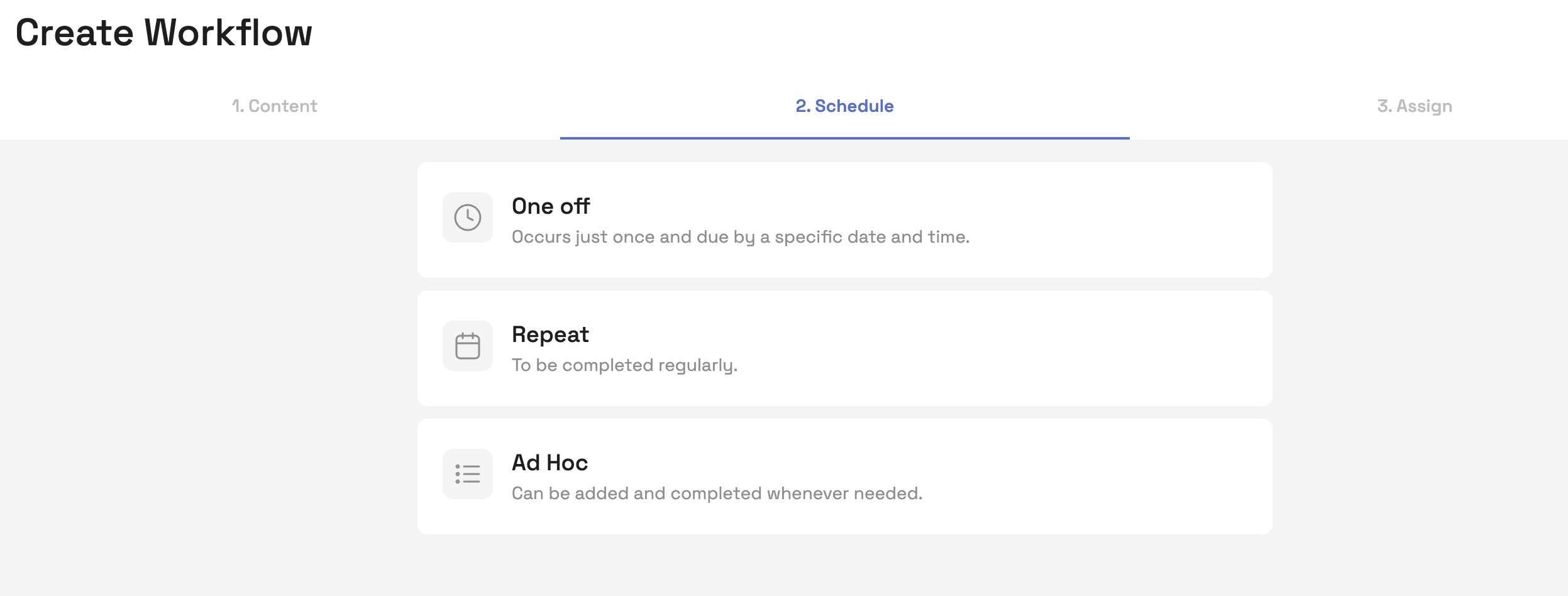
Once the content is ready, click Schedule Workflow. You’ll now choose how and when the workflow should appear:
Scheduling Options
One-off
Triggers once at a specific date/time.
Ideal for temporary or one-time tasks.
Repeat
Useful for tasks that need completing regularly
The Date Checker tool will confirm if the schedule is set up correctly.
Ad Hoc
Best for workflows that happen irregularly and cannot be pre-planned.
Once set up, these can be triggered by any user on the app
Examples: Food poisoning log, visitor log, unexpected incident report.
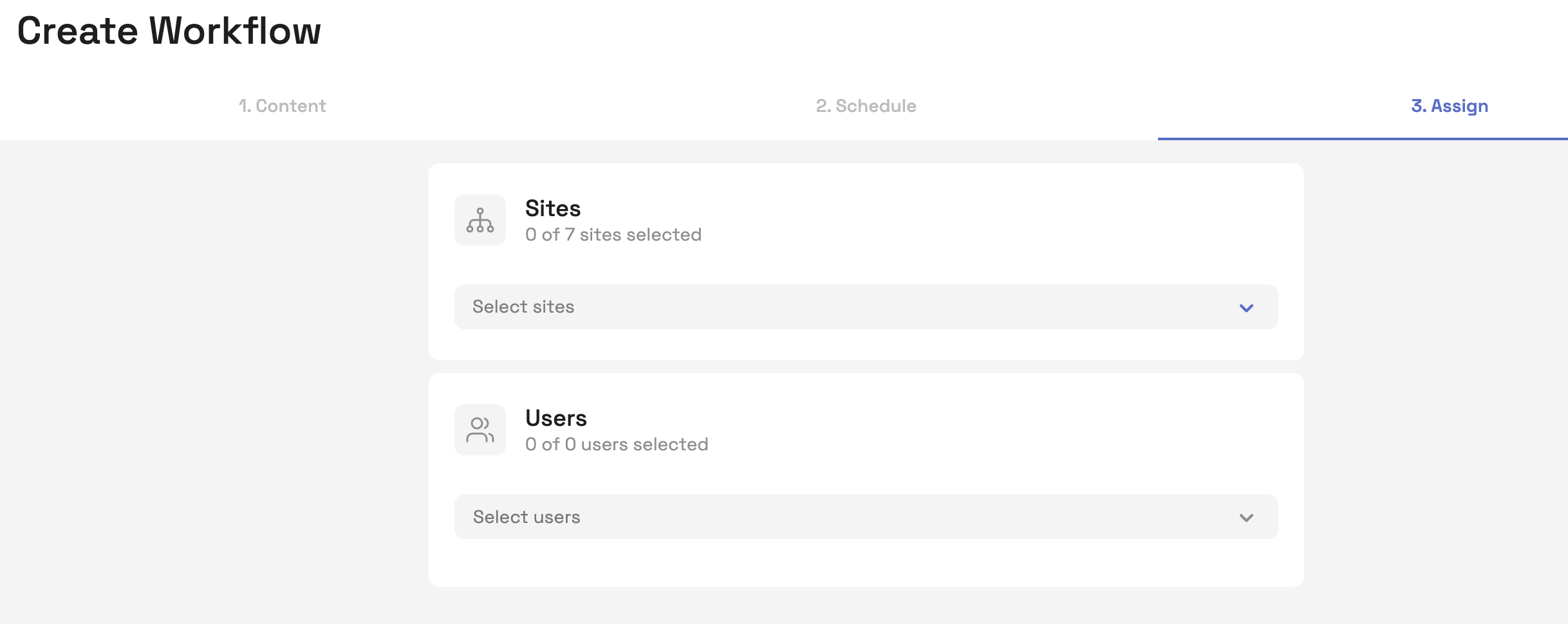
Assign to Sites and Users
Assign the workflow to the relevant site(s) and user(s).
The assigned users will receive a notification when the tasks begins and 30 minutes before the due date.
After the due date, on the same day, this task will be marked as completed late on the report.
Any task not completed that day will be locked and marked as overdue on the report.
Tip: Assign to “All Users” if you want new users added in the future to automatically be included.
Publish or Save
When you're ready, click Publish to make the workflow live.
Or click Save as Draft if you're not ready to launch just yet.
You can review all scheduled workflows under the Complete Workflows tab.
Was this article helpful?
That’s Great!
Thank you for your feedback
Sorry! We couldn't be helpful
Thank you for your feedback
Feedback sent
We appreciate your effort and will try to fix the article