Before you can run delivery checks or HACCP checks, you must set up your organisation’s products and suppliers.
Products and Suppliers Tab
Go to Settings > Products, Suppliers Tab
Here you can view all products and suppliers linked to your organisation.
Here you can check which products and suppliers are assigned to specific sites or workflows.
Note: Site Admins cannot add new products or suppliers - this is managed by the Company Admin.
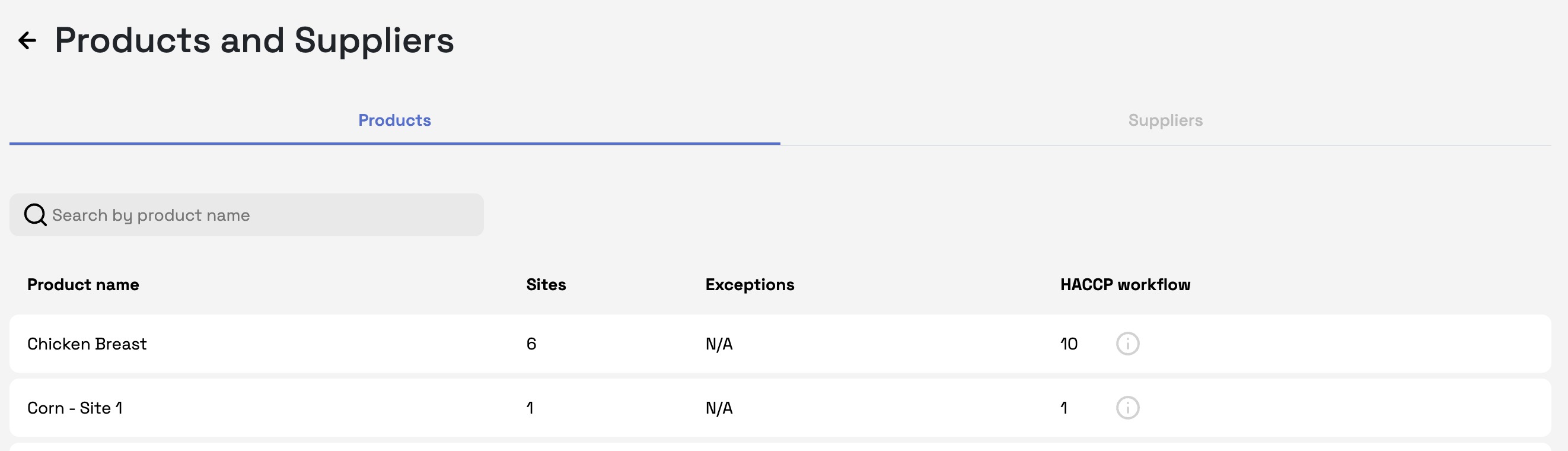
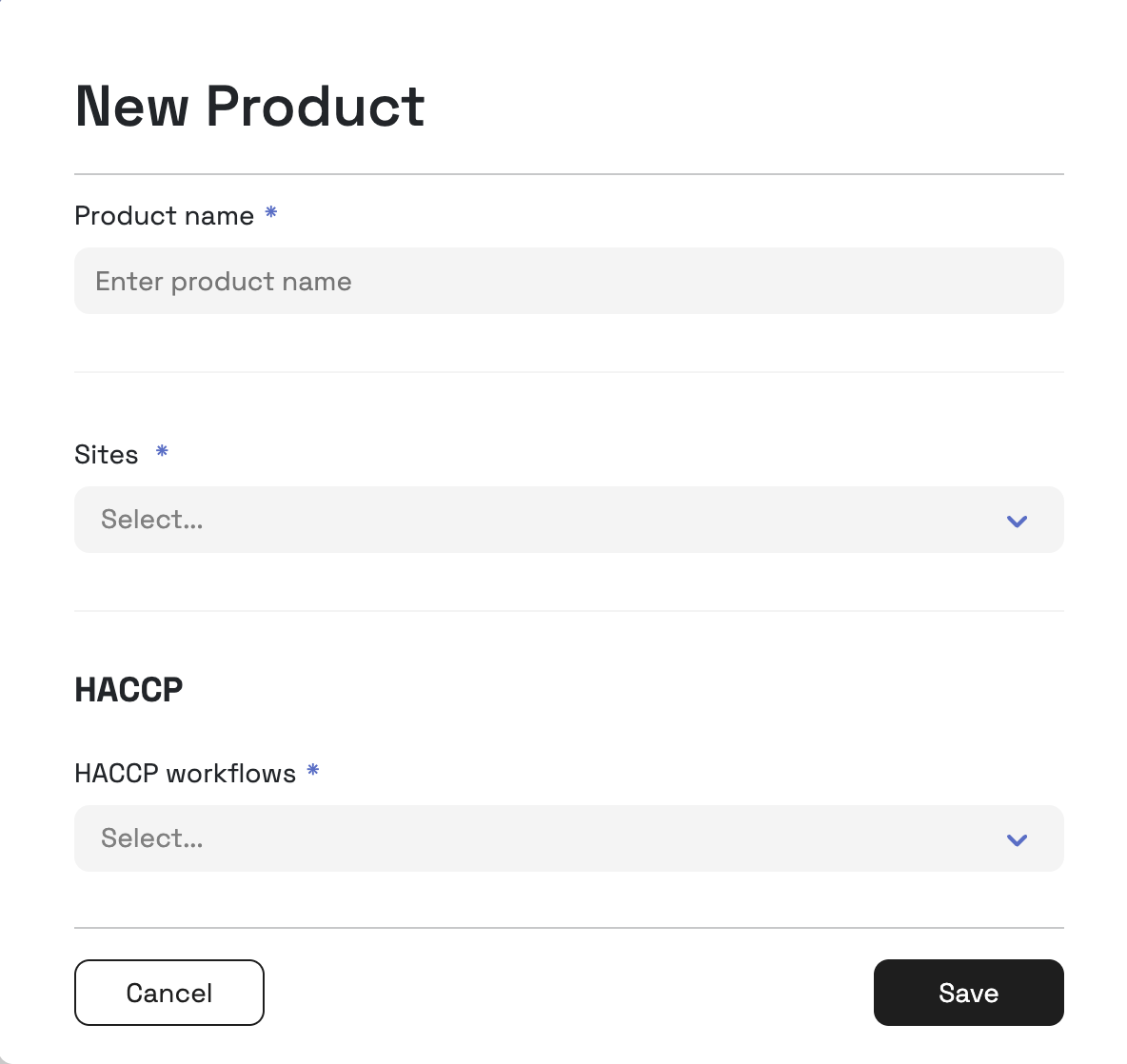
- A Company Admin can add new products by selecting New Product in the right hand corner
- Fill out the details for the product or supplier
- Ensure they are assigned to the correct site(s) and HACCP workflow(s)
- Repeat the same process for suppliers
Was this article helpful?
That’s Great!
Thank you for your feedback
Sorry! We couldn't be helpful
Thank you for your feedback
Feedback sent
We appreciate your effort and will try to fix the article