As a Company Admin in Telsen, you have the highest level of access within the Settings tab. This means you can manage organisation-wide settings, users, products, equipment, and security configurations that apply across all sites.
When you access the Settings tab as a Company Admin, you’ll see six sections:
Organisation
General
Products & Suppliers
HACCP Templates
Equipment
Security
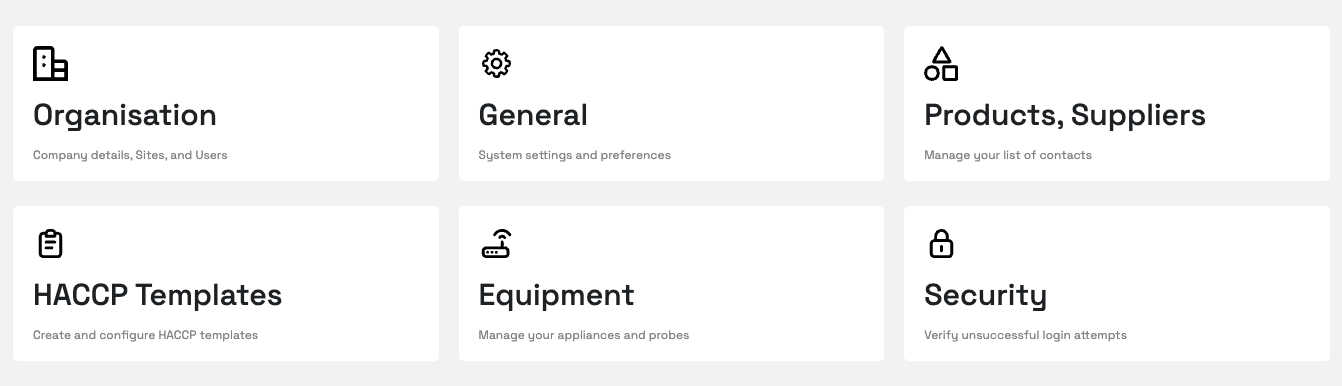
Below is a breakdown of what can be viewed and managed in each section.
Organisation Tab
Company Details
View and edit your organisation’s name, contact information, and other details.
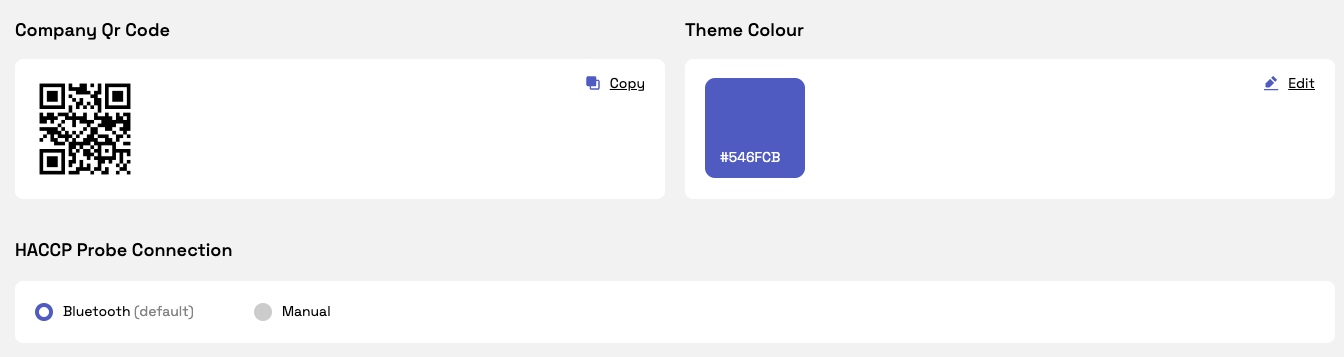
Update your company logo and theme to match your branding.
Configure your HACCP probe connection settings. You can set the default to manual mode so users don’t have to select it manually when completing HACCP checks on mobile.
Sites
Create new sites and manage existing ones.
View and update site details, including open/closed days.
Add planned closure days for when your site won’t be operating. (Workflows scheduled for these days will not appear in reports.)
Users
Add, edit, and manage all user roles (including Site Admins and Site Viewers).
Once you add the contact they will receive an email helping them get set up with their app and desktop account
General Tab
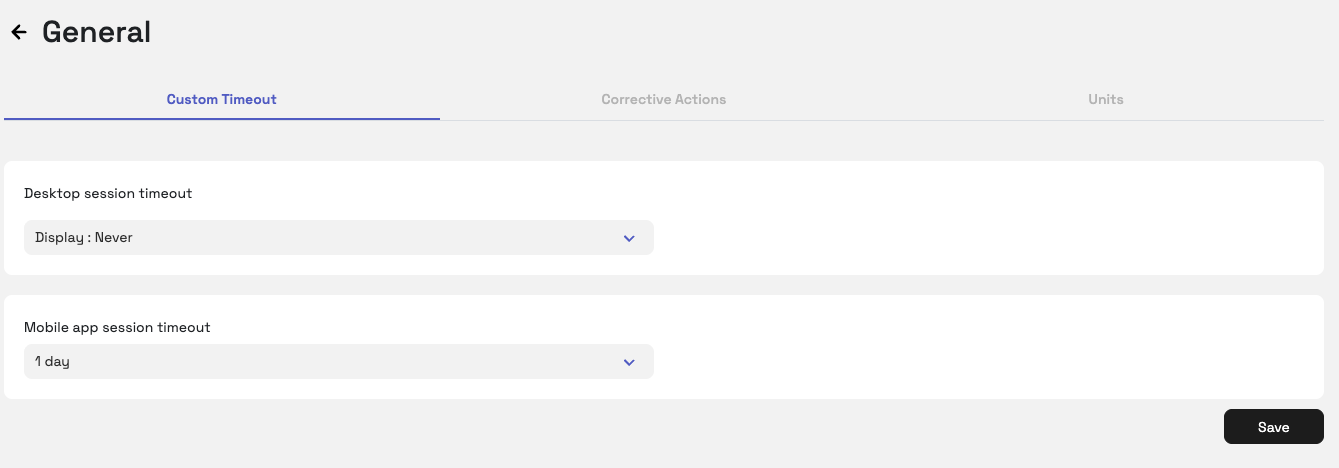
Custom Timeout
Configure how long a desktop or mobile session can remain active before automatically logging out.
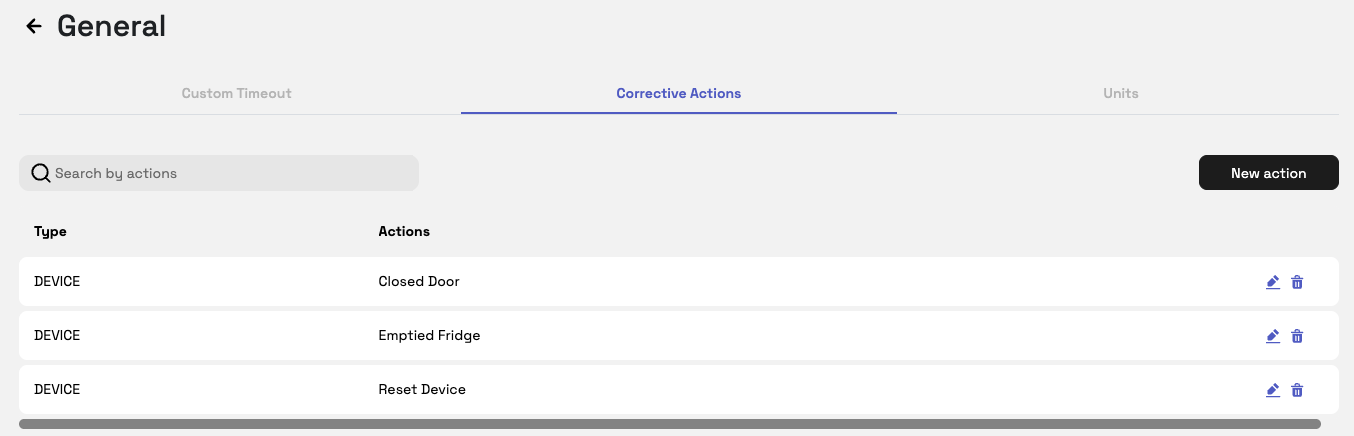
Corrective Actions
Add and configure corrective actions that appear when a device alert is triggered - for example, if a sensor falls outside its set temperature parameters.
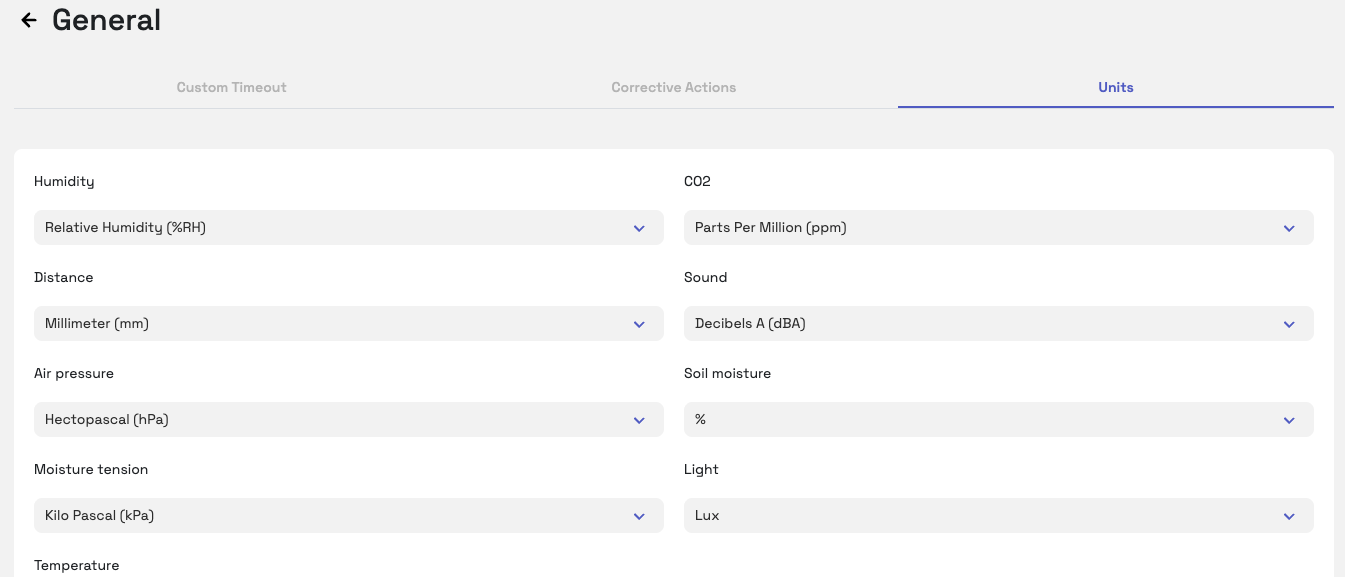
Units
View the unit settings for each sensor (e.g., °C or °F).
Products & Suppliers Tab
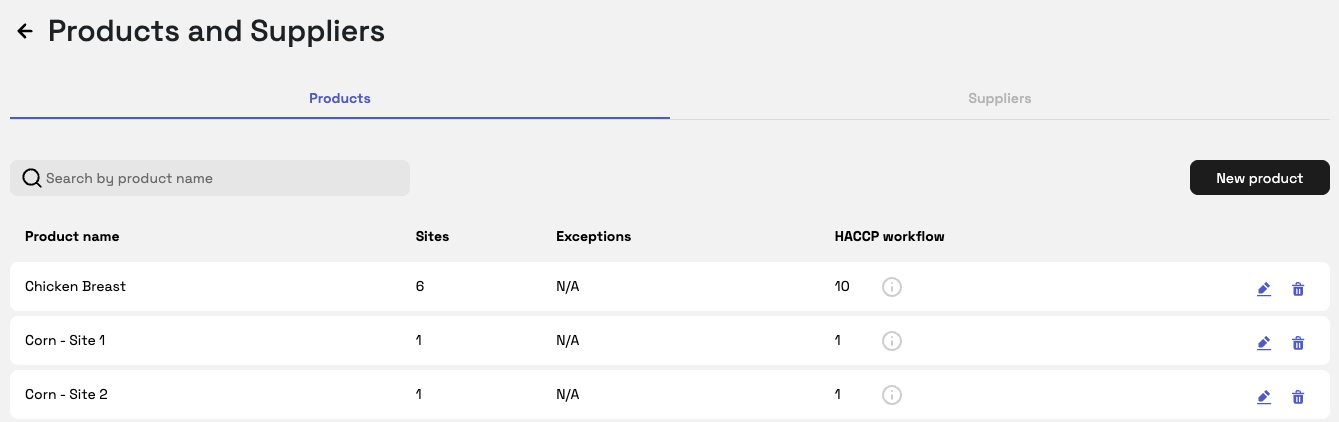
Add, edit, or delete products and suppliers linked to your organisation.
View which products and suppliers are assigned to specific sites or workflows.
HACCP Templates Tab
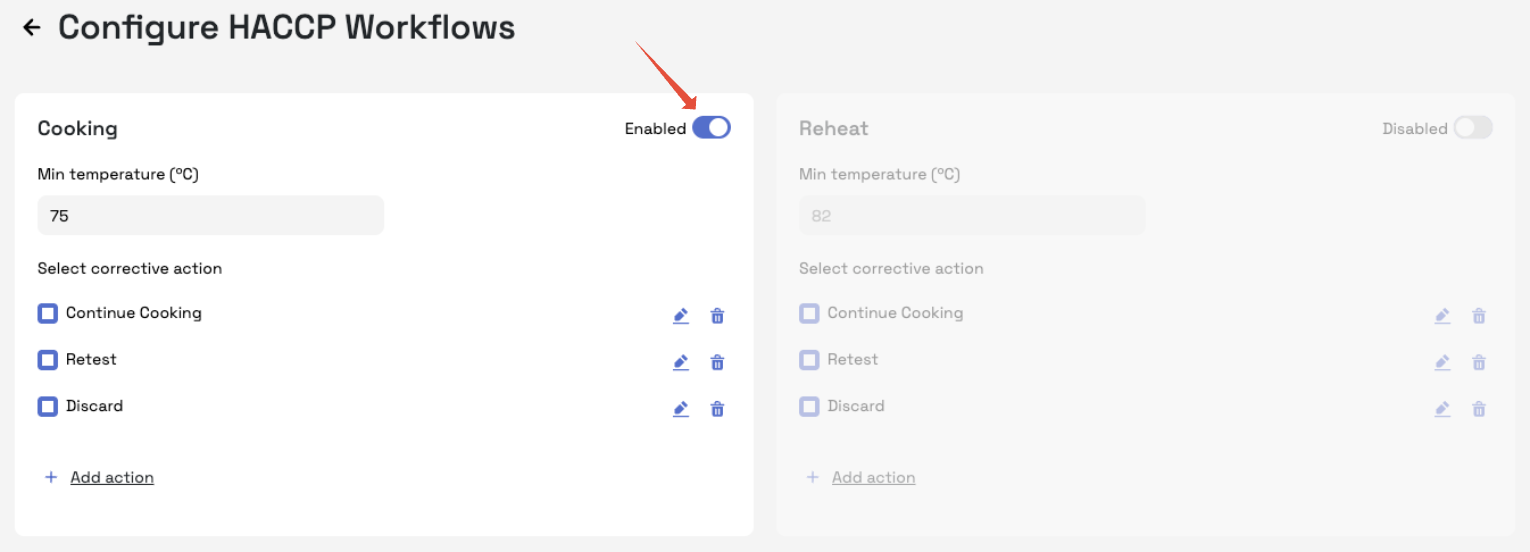
Configure HACCP workflow templates used across your organisation.
Turn workflows on or off using the 'Enabled' button - those that have been enabled will appear on the app
If needed, adjust temperature settings and corrective actions for each workflow.
Important: These settings must be configured site by site using the site picker at the top of the screen.
Equipment Tab
Manually add appliances (if sensors aren’t used for temperature logging) such as fridges, freezers, or dishwashers.
Ensure each appliance has a clear name (e.g., Walk-in Freezer 1) so staff can easily identify it in the app.
View probes automatically added once used in a workflow, manage probe details, and check calibration dates.
Tip: Keeping probe calibration dates accurate is key for HACCP compliance. Probes require calibration every 30 days (configurable in the HACCP Templates tab), and will be locked until recalibrated in Telsen.
Security Tab
View and monitor user logins.
Keep track of who has accessed the platform to maintain security and compliance visibility.
Was this article helpful?
That’s Great!
Thank you for your feedback
Sorry! We couldn't be helpful
Thank you for your feedback
Feedback sent
We appreciate your effort and will try to fix the article