The Device Reports gives you full visibility into the data collected from your sensors across all sites. It helps you monitor device performance, identify exceptions, and maintain compliance with your configured alert thresholds.
Accessing Device Reports
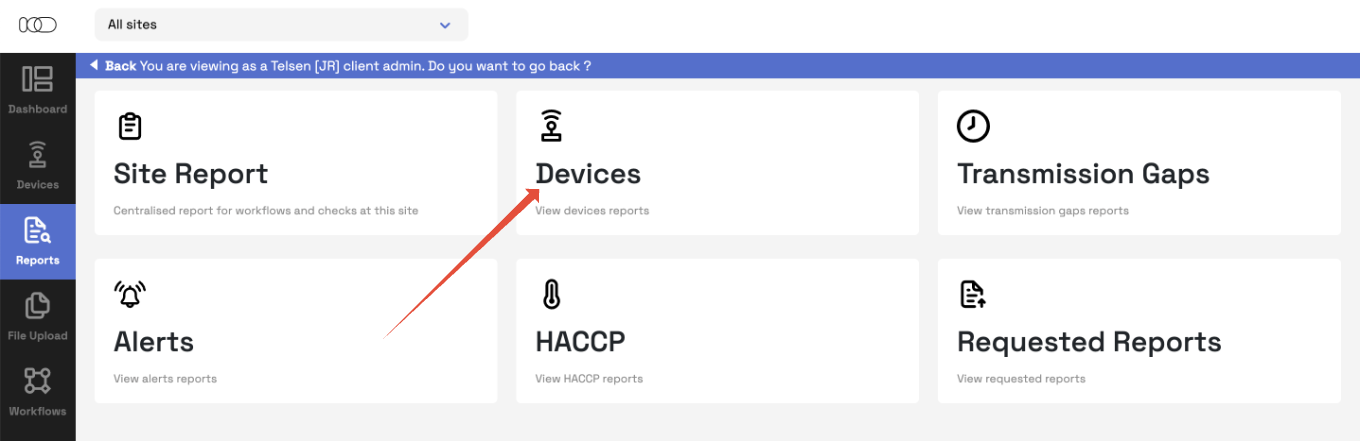
Go to the Reports tab in your Telsen dashboard.
Click View Device Report.
All Telsen users can access this section - visibility depends on your user role (for example, Site Admins see their assigned sites, while Company Admins see all sites).
Understanding the Device Report Table
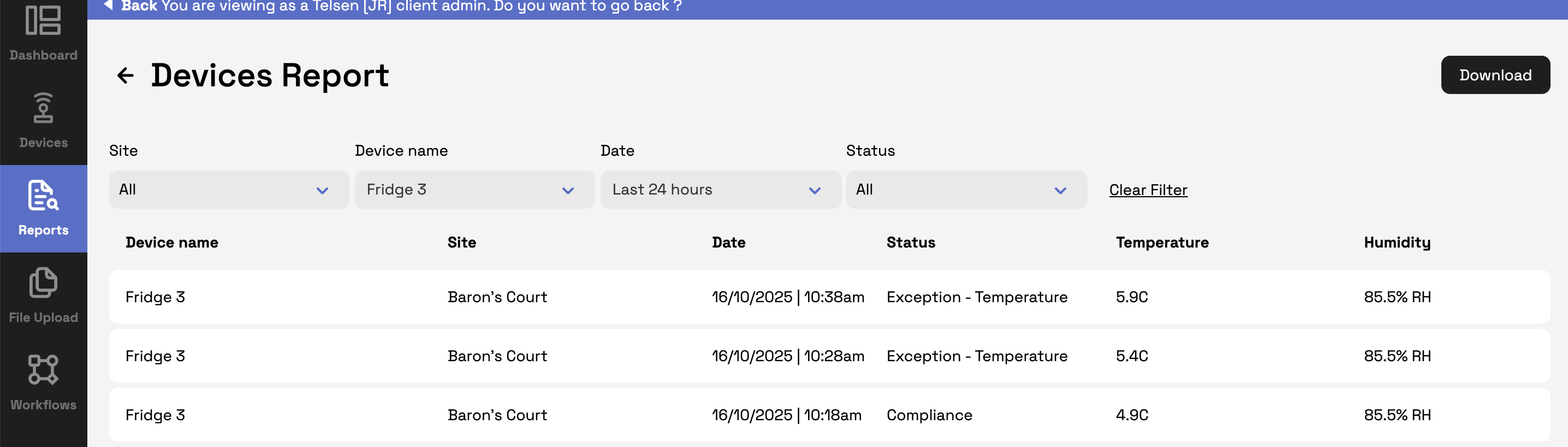
The Device Report table displays each data entry received from your sensors (typically every 10 minutes), along with relevant parameters and status indicators.
Table Columns
Device Name – The name of the device or sensor sending the data.
Site – The site where the device is installed.
Date – The exact date and time when the data was recorded.
Status – The current operating status of the device.
Compliance – A device is in compliance when all its parameters (e.g. temperature, humidity) are within the set alert thresholds.
Exception – An exception appears when one or more parameters go beyond the configured limits, showing that the device is outside the acceptable range.
Device Parameters – The columns here adjust dynamically based on the type of device selected (for example, an EM320 sensor displays Humidity, Temperature, and Battery).
Using Filters
To help you quickly find the data you need, you can filter the report using several options:
Site
A multi-select, searchable dropdown that shows all sites you have access to.
Company Admins can view all sites across the organisation.
Default selection: All sites.
Device Name
A searchable, single-select dropdown that lists all sensors within the selected site(s).
Date
A single-select dropdown with the following options:
Last 24 hours (default)
Last 7 days
Last 30 days
Custom range – Opens a date picker where you can select start and end dates, then click Save to apply or Cancel to close.
Status
A multi-select dropdown with these options:
All (default)
Compliance – All parameters are within configured thresholds (e.g. temperature alert set to above 9°C, and the reading is 8°C).
Exception – One or more parameters are outside configured thresholds (e.g. temperature alert set to above 9°C, and the reading is 10°C).
Clear Filters
Click Clear Filters to reset all filters back to their default settings.
Why Use the Device Report
The Device Report helps you:
Track real-time sensor performance and detect issues early.
Maintain audit readiness by keeping a full history of sensor data.
Support compliance checks by easily spotting exceptions and temperature deviations.
Was this article helpful?
That’s Great!
Thank you for your feedback
Sorry! We couldn't be helpful
Thank you for your feedback
Feedback sent
We appreciate your effort and will try to fix the article