The Site Report is your central dashboard for understanding how well your site is performing against required workflows and compliance checks. Rather than focusing on individual tasks, it gives managers and auditors a high-level view of performance trends, helping you spot risks early, track improvements over time, and prioritise where attention is needed.
Why It Matters for Managers
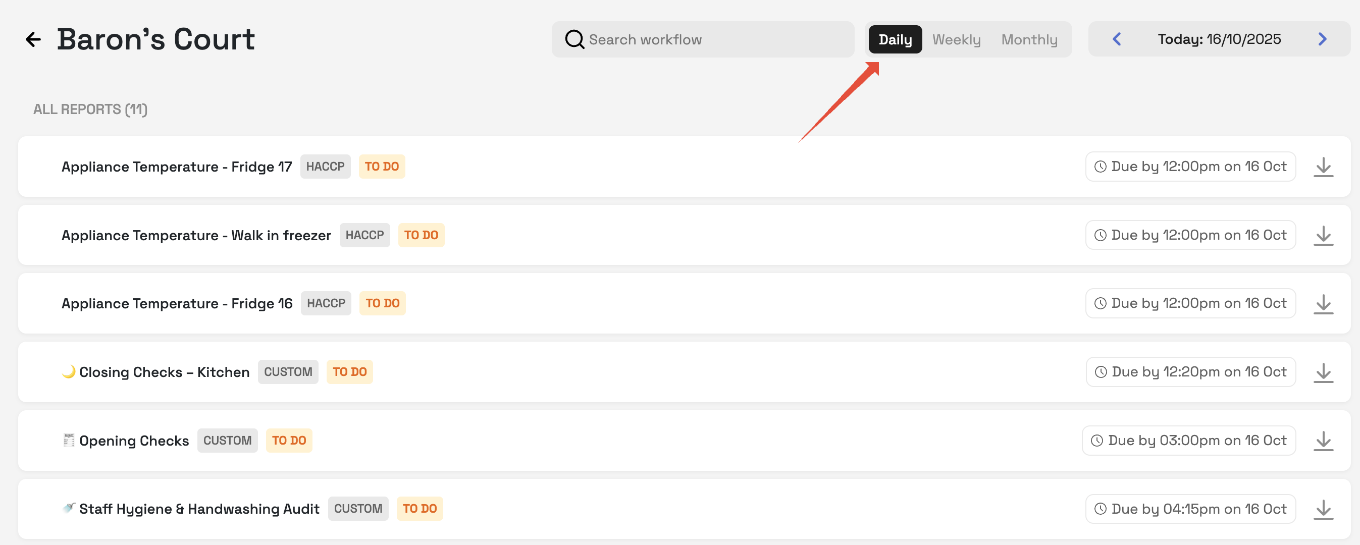
Daily Reports
Use the daily view to see what’s happening in real time. This helps you quickly identify today’s compliance issues, missed checks, or bottlenecks so you can act before they escalate.
Weekly Reports
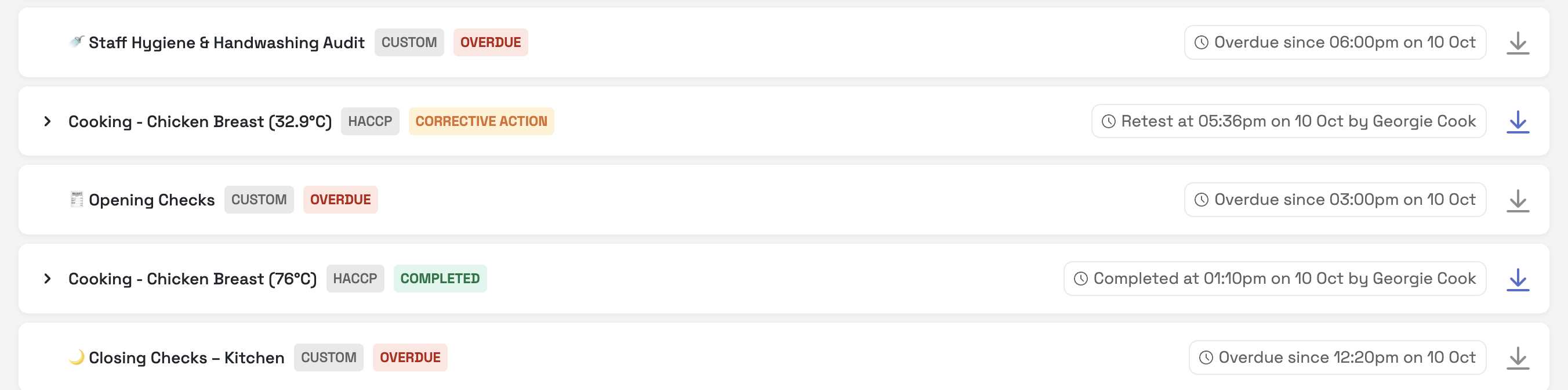
Weekly summaries reveal recurring problems - whether certain checks are consistently missed, or workflows are failing at the same point each week. This allows you to address root causes, retrain staff, or adjust processes.
Monthly Reports
Monthly views highlight long-term performance and compliance trends. Managers can use this to evaluate whether corrective actions are working, prepare for audits, and demonstrate continuous improvement to stakeholders or EHOs.
Key Functions for Oversight
Interval Selection (Daily / Weekly / Monthly)
Switch easily between different timeframes to analyse short-term issues or long-term patterns. This flexibility helps you balance day-to-day management with strategic oversight.Calendar & Shortcuts
Quickly jump to relevant timeframes (e.g., “Last 7 days” or “Last month”) to compare performance across periods. This is especially useful for preparing reports ahead of inspections or management reviews.Investigate issues
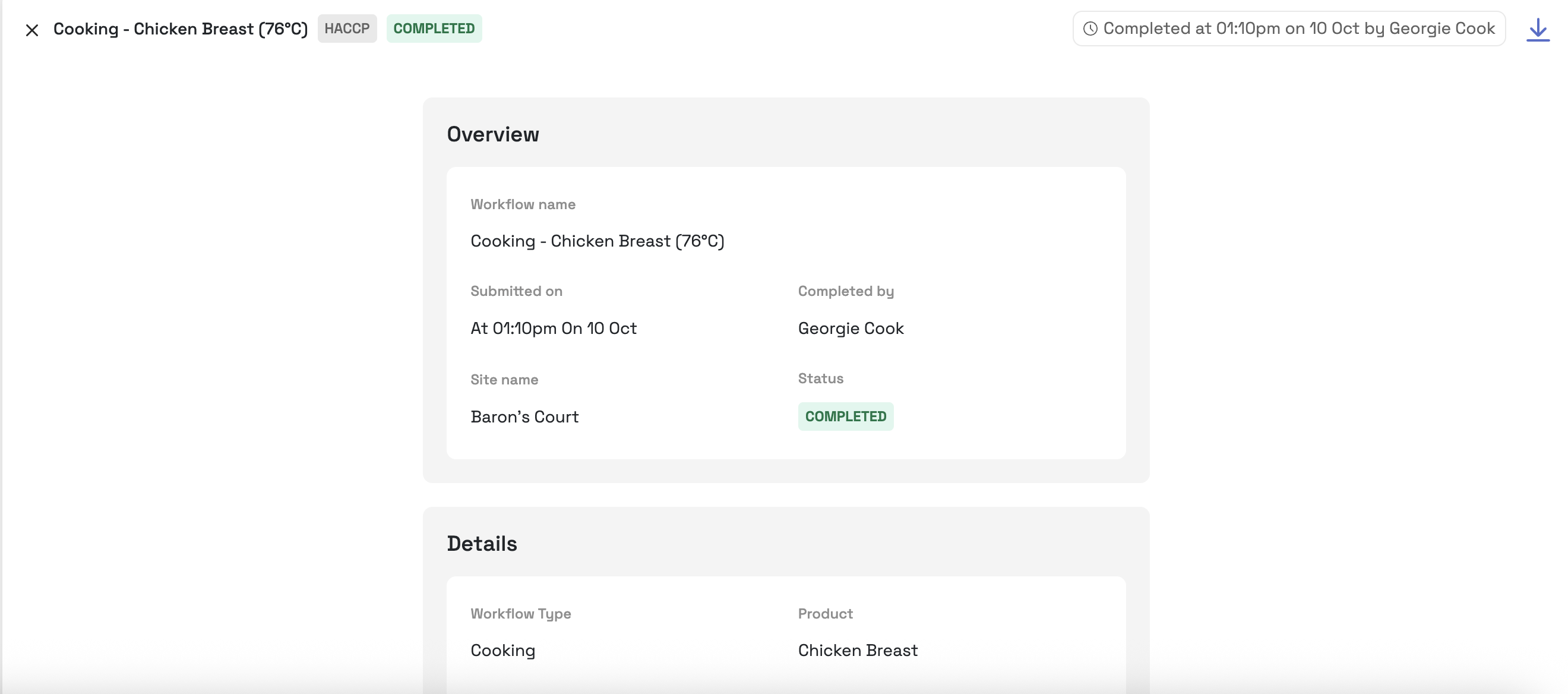
Click into a completed check, to understand and review the details in more depth. This is useful during an inspection and the auditor asks to see more details. You can also download the report here.
In short, the Site Report is less about ticking boxes and more about empowering managers to track compliance, identify risks, and drive continuous improvement across their site.
Was this article helpful?
That’s Great!
Thank you for your feedback
Sorry! We couldn't be helpful
Thank you for your feedback
Feedback sent
We appreciate your effort and will try to fix the article