The File Upload tool in Telsen allows you to store and manage important documents related to your organisation or site. This is a simple and secure way to keep all key files in one place, ensuring your team can easily access the information they need.
Accessing the File Upload Tool
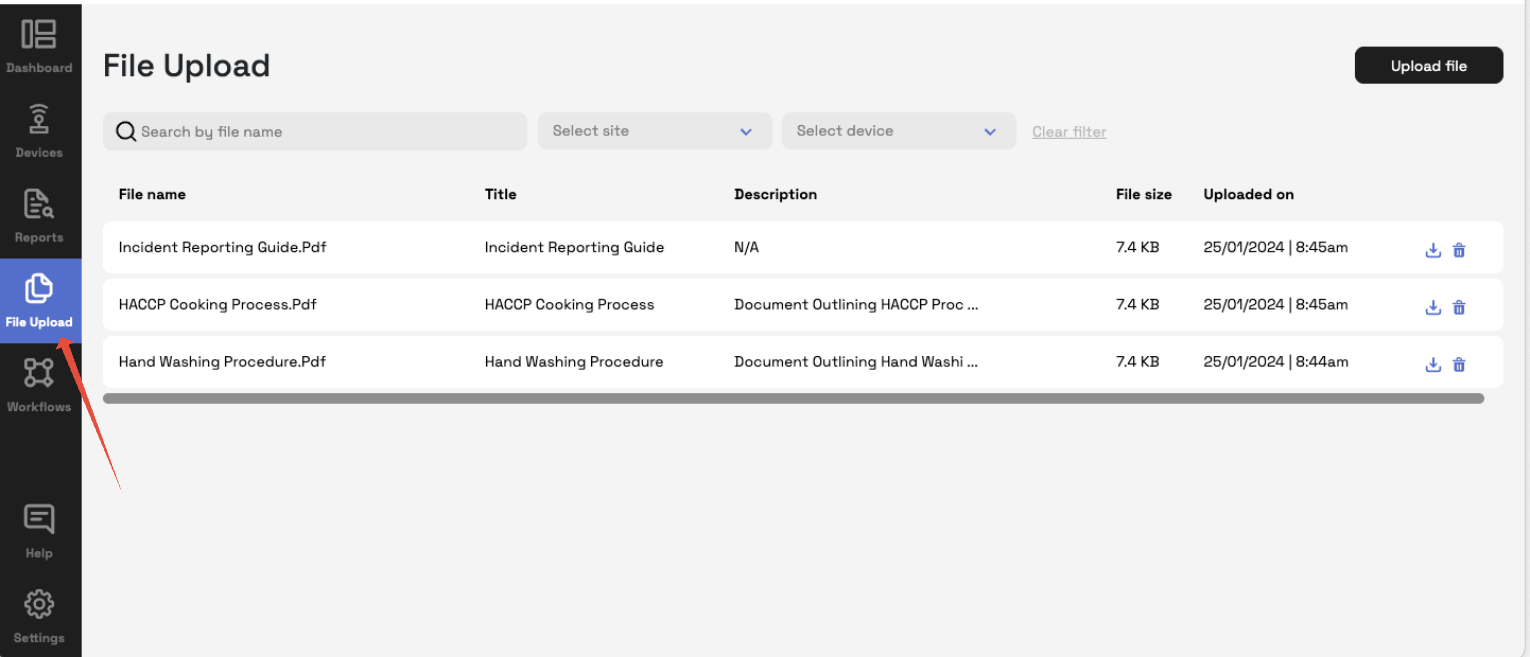
Go to the File Upload tab in the left hand navigation bar.
You’ll see a list of any documents already uploaded for your organisation or site.
Uploading a File
Click Upload File.
Select the document from your device.
Add a clear file name or short description so it’s easy to identify later (for example, Food Safety Policy – 2025).
Click Save to complete the upload.
Once uploaded, the file will be securely stored and visible to users with the appropriate permissions.
Managing Files
From the File Upload section, you can:
View existing documents directly within Telsen.
Download files when needed for audits or reviews.
Delete old or outdated documents to keep your storage organised.
Tip: Use consistent file naming (e.g. Allergen Register – Site Name – Month/Year) so documents are easy to find.
Examples of Commonly Stored Documents
Food Safety and Hygiene Policies
Staff Training Certificates
Supplier Certifications
Cleaning Schedules
Equipment Maintenance Logs
Was this article helpful?
That’s Great!
Thank you for your feedback
Sorry! We couldn't be helpful
Thank you for your feedback
Feedback sent
We appreciate your effort and will try to fix the article