The HACCP Reports in Telsen allow you to view and monitor all HACCP checks completed across your sites. These reports provide visibility into how food is cooked, cooled, stored, and reheated, helping ensure compliance with HACCP (Hazard Analysis and Critical Control Point) standards and maintaining food quality and safety.
Accessing the HACCP Reports
Go to the Reports tab.
Click View HACCP Report.
You’ll be taken to a page displaying all available HACCP check types.
Each HACCP check appears as a tile, showing:
The name of the check.
The number of non-conformances detected.
The number of checks performed within the selected period.
A “View Report” button to open the detailed report.
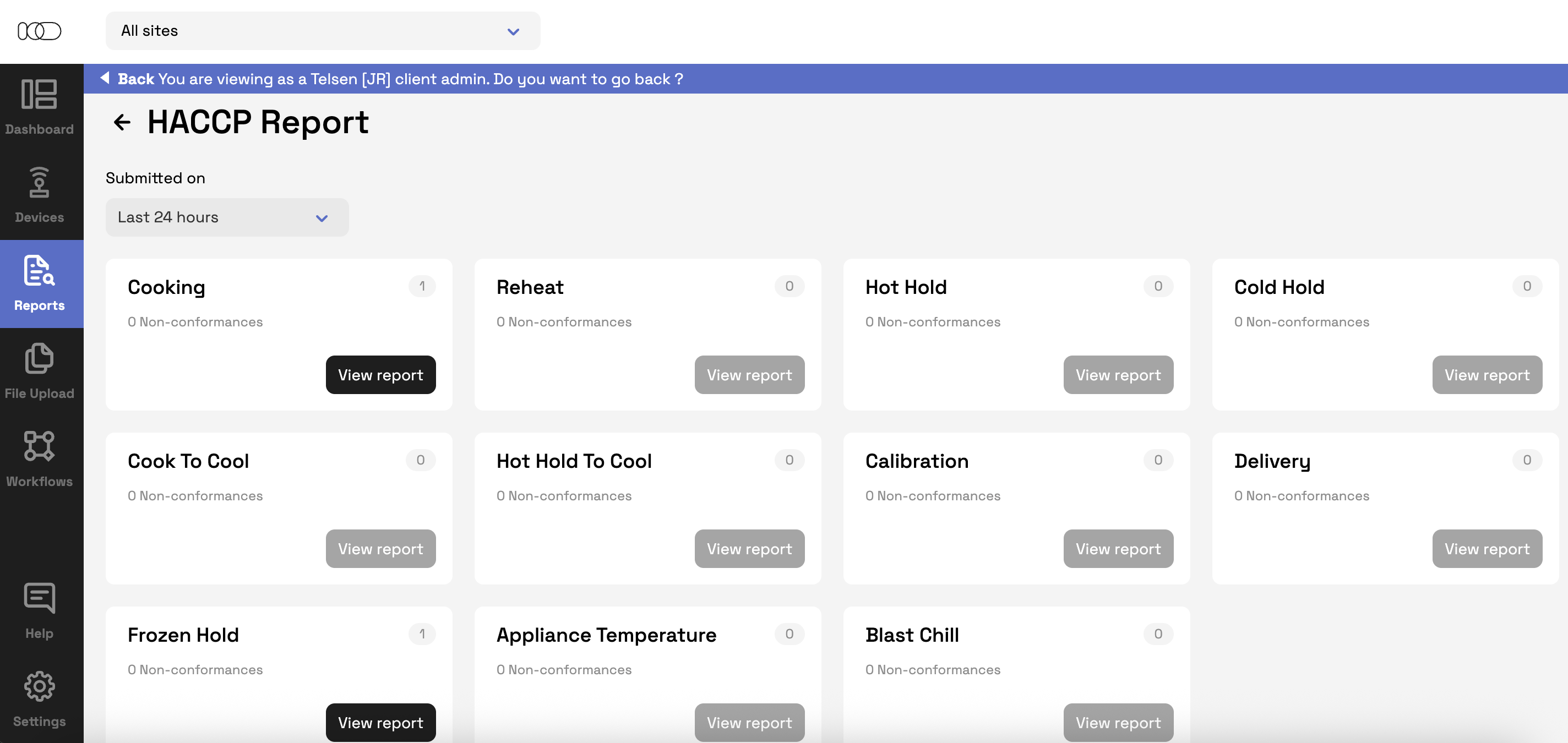
Available HACCP Checks
You can access reports for the following check types:
Cooking
Reheat
Hot Hold
Cold Hold
Cook to Cool
Hot Hold to Cool
Calibration
Delivery
Frozen Hold
Appliance Temperature
Blast Chill
Using Filters
Each HACCP report includes filters to help you narrow down results.
Submitted On
Filters data based on when checks were submitted.
Default: Last 24 hours.
Other options: Last 7 days, Last 30 days, or a Custom period (selectable from the calendar).
Status
Filters checks based on their progress or outcome.
Options include:
All (default)
Completed
Corrective Action
Completed By
Allows filtering by user(s) who completed the check.
Multi-select dropdown with a searchable list of users.
Selecting “All” includes all users.
Clear Filters
Click Clear Filters to reset all filters to their default selections.
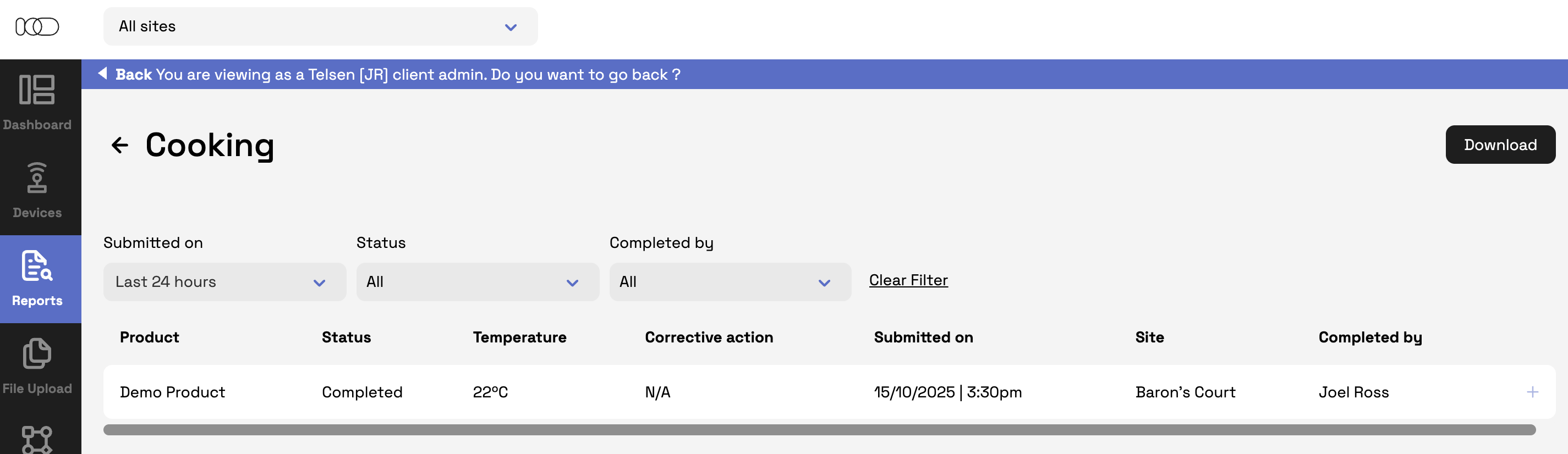
- Reports can be downloaded as a CSV or PDF
Understanding the Report Tables
Each HACCP report displays key data relevant to that specific check type.
While the structure remains consistent, some columns vary depending on the check performed.
Below is a summary of what each report includes:
| HACCP Check Type | Typical Columns |
|---|---|
| Cooking / Reheat / Cold Hold / Hot Hold | Product, Status, Temperature, Corrective Action, Submitted On, Site, Completed By |
| Hot Hold to Cool / Blast Chill / Cook to Cool / Frozen Hold | Product, Site, Status, Cooked Temperature & Time, Stage 1 & 2 Start/End Times & Temps, Total Duration, Corrective Action, Completed By |
| Delivery | Product Name, Status, Date & Time, Site, Condition, Type, Quantity, Supplier, Reference Number, Temperature, Expiry/Use By, Corrective Action, Completed By |
| Calibration | Probe, Status, Temperature, Type, Date, Site, Corrective Action, Completed By |
| Appliance Temperature | Appliance Name, Type, Date, Site, Temperature, Status, Corrective Action, Completed By |
Tip: These reports help identify where corrective actions are being taken most often and support HACCP compliance during inspections.
Why Use the HACCP Reports
The HACCP Reports allow you to:
Monitor all food safety checks across sites in one place.
Identify non-conformances and follow up on corrective actions quickly.
Maintain traceable, audit-ready records for compliance.
Ensure safe food handling practices across your organisation.
Was this article helpful?
That’s Great!
Thank you for your feedback
Sorry! We couldn't be helpful
Thank you for your feedback
Feedback sent
We appreciate your effort and will try to fix the article