From this tab, you can easily monitor your sensors and gateways from the Devices tab.
1. Open the Devices Tab
From the main menu, select Devices.
Use the subtabs to switch between Sensors and Gateways.
2. Sensors Subtab
View a list of all sensors associated with your company
Use the search bar to find a sensor by name.
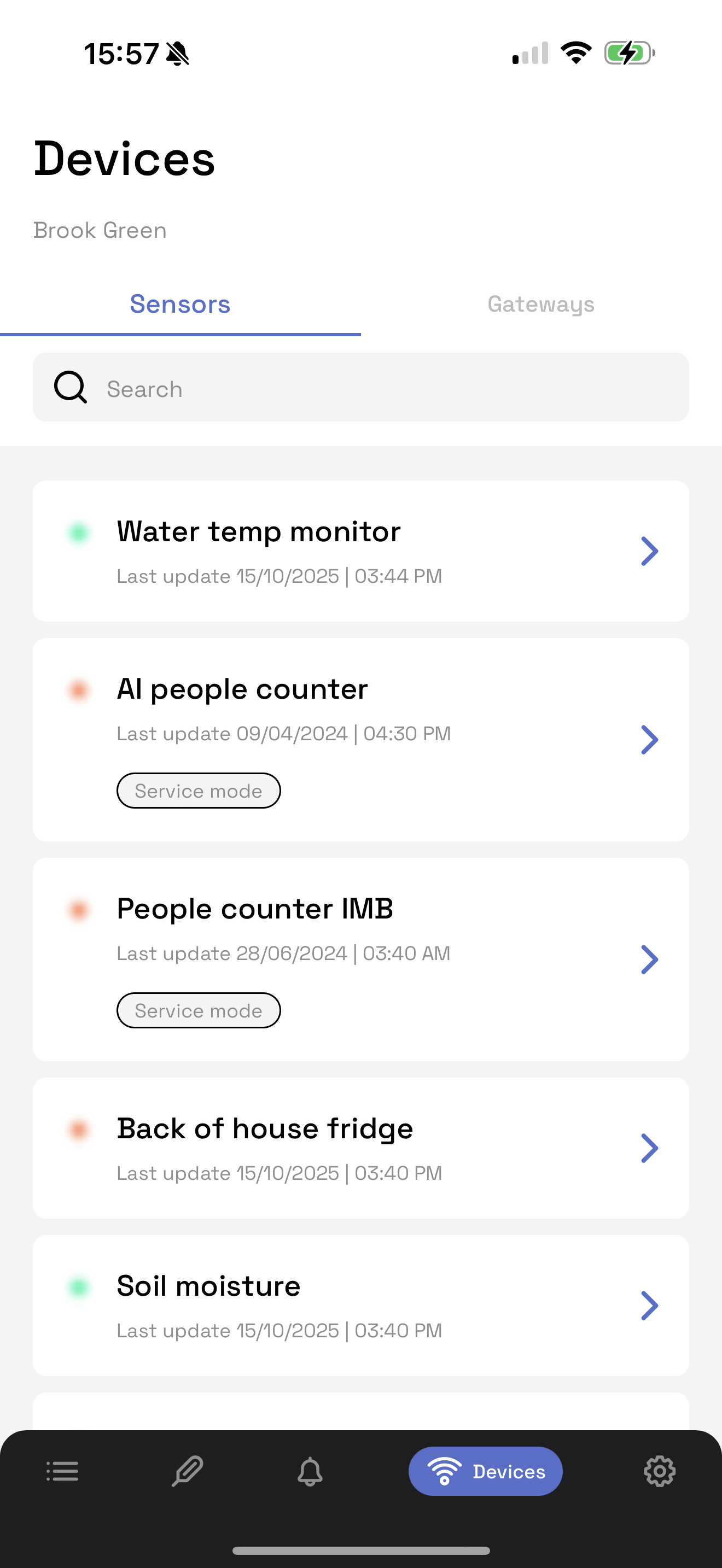
Tap the sensor to find more details, such as:
Parameter name
Status (R/A/G)
Current value
Highest and lowest values from the past 24 hours
3. Gateways Subtab
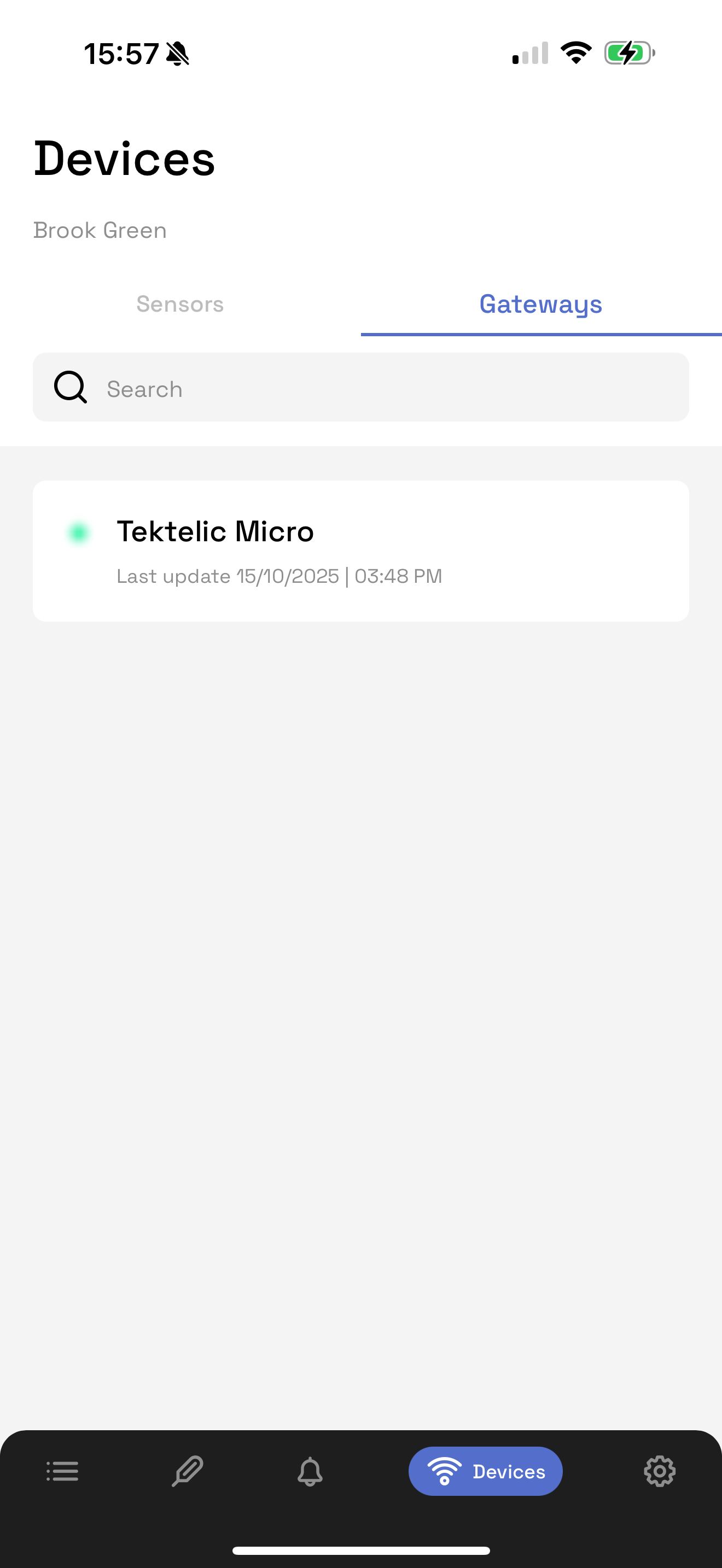
View a list of all gateways associated with your company.
Each entry shows:
Gateway name
Status (Red = Offline, Green = Online)
Last updated date and time
Use the search bar to find a gateway by name.
Was this article helpful?
That’s Great!
Thank you for your feedback
Sorry! We couldn't be helpful
Thank you for your feedback
Feedback sent
We appreciate your effort and will try to fix the article